
Apache Kafka - KRaft 101
Let's get into details

Getting used to a new thing is certainly a learning path. With the introduction of KIP-500, Apache Kafka started its way into running without Zookeeper and as a person doing work with Kafka, I need to get myself used to it.
As introduced in the previous post, Kafka will become closer to systems like Elasticsearch with its own coordination algorithm, allowing it to easily build single-node deployments or deployments with dedicated coordination nodes.
Introducing a learning playbook
I have spent the last few days building a Kafka with KRaft playbook. There you will find a set of docker-compose files, and related utilities, to introduce you to experiment with KRaft and Apache Kafka.
Note, to run this, you need at least docker-compose and docker installed in your machine.
This repository has as of now a non-secured deployment, to allow you, and by extension me as well, to get comfortable with operating this change in Apache Kafka. I hope I can share here what I learn, so it can help anyone interested.
The three major setups are contained in the repo:
Single node, a single Kafka process running as controller and data node.
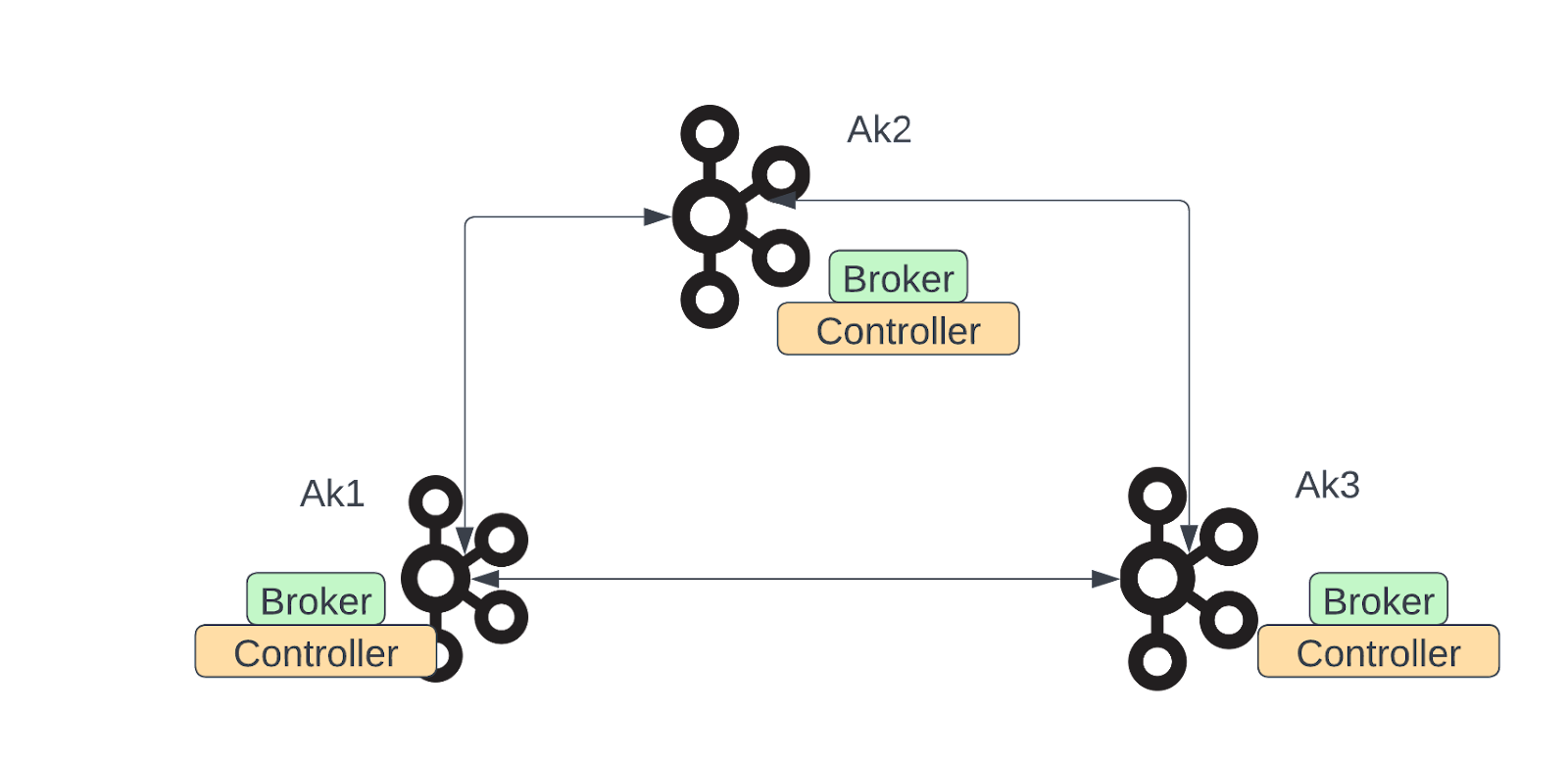
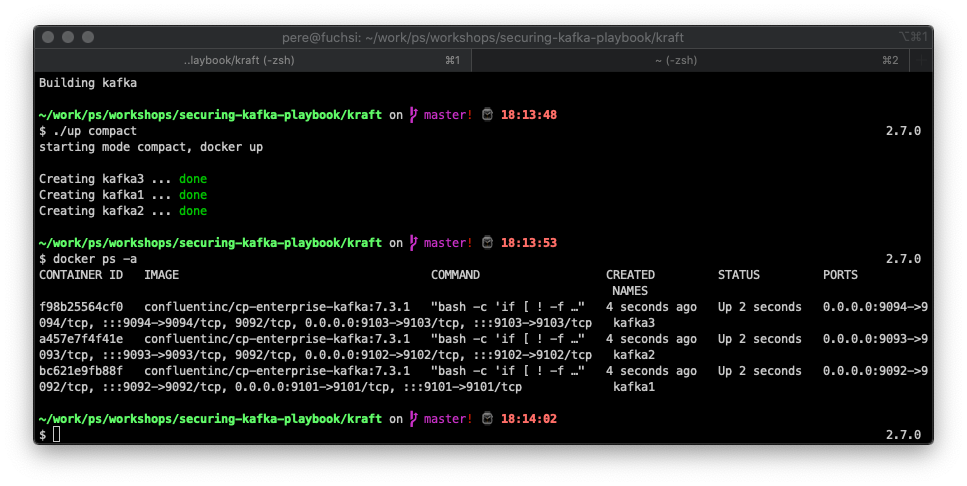
Compacted, three Kafka nodes running all as controllers and data nodes.
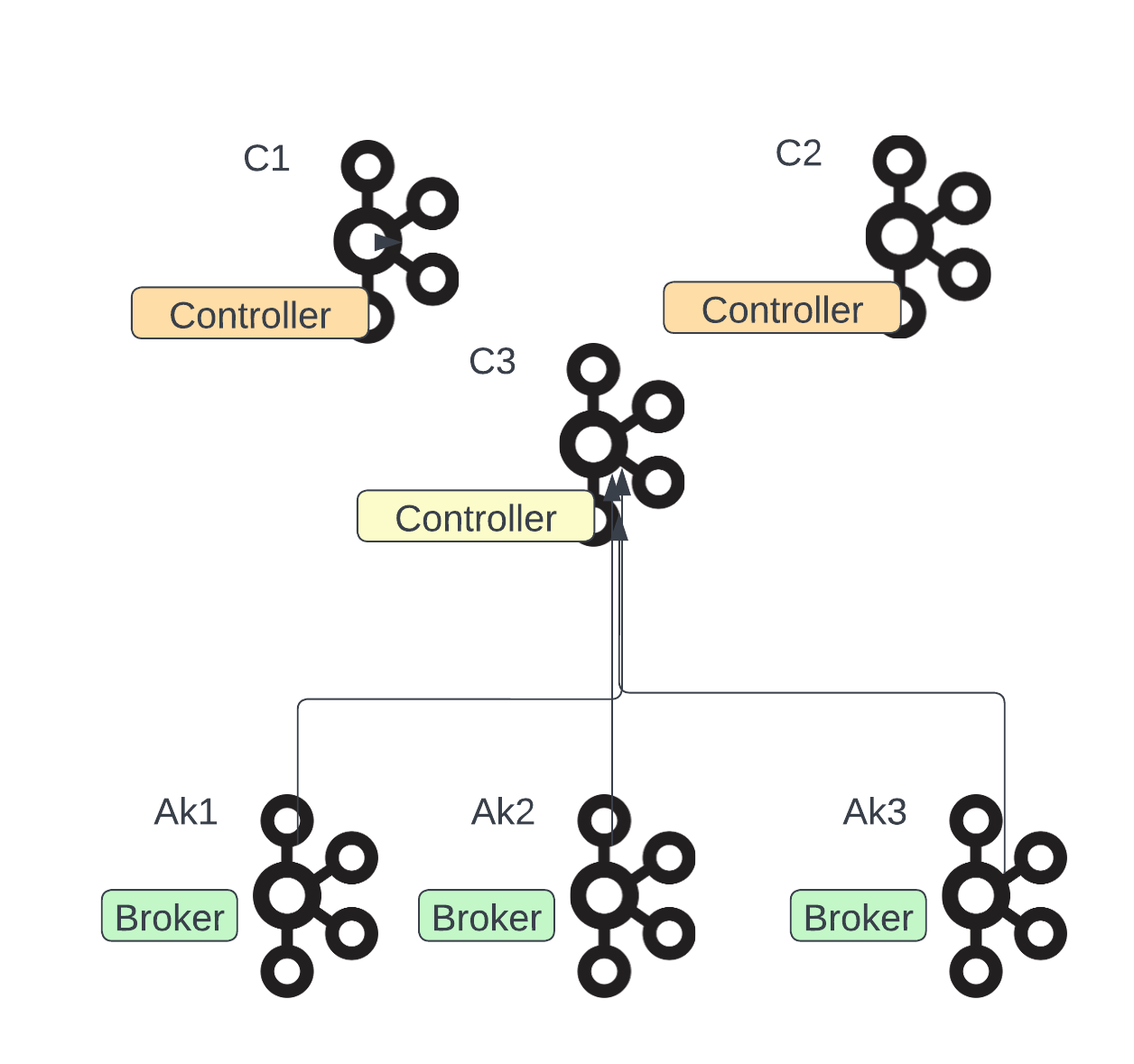
Distributed, with three Kafka nodes running as controllers, only responsible for running KRaft and two pure data nodes.
The modes can be started using the up script with parameters one, compact and iso for each mode.
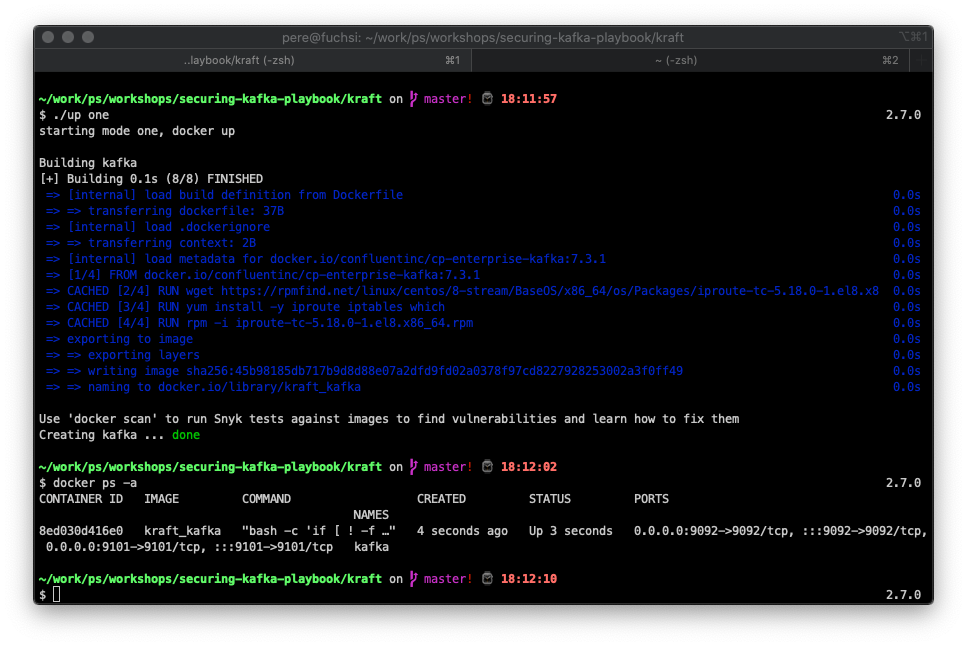
For the curious minds, without even talking about the simplified setup, it can be observed how the starting time for a single node has dramatically increased.
ignore zk-ready  40

Formatting /tmp/kraft-combined-logs with metadata.version 3.3-IV3.

===> Launching ...

===> Launching kafka ...

[2023-01-21 17:15:18,727] INFO Registered kafka:type=kafka.Log4jController MBean (kafka.utils.Log4jControllerRegistration$)

[2023-01-21 17:15:19,085] INFO Setting -D jdk.tls.rejectClientInitiatedRenegotiation=true to disable client-initiated TLS renegotiation (org.apache.zookeeper.common.X509Util)

…..redacted….

[2023-01-21 17:15:20,852] INFO Kafka version: 7.3.1-ccs (org.apache.kafka.common.utils.AppInfoParser)

[2023-01-21 17:15:20,852] INFO Kafka commitId: 8628b0341c3c46766f141043367cc0052f75b090 (org.apache.kafka.common.utils.AppInfoParser)

[2023-01-21 17:15:20,852] INFO Kafka startTimeMs: 1674321320851 (org.apache.kafka.common.utils.AppInfoParser)

[2023-01-21 17:15:20,854] INFO [KafkaRaftServer nodeId=1] Kafka Server started (kafka.server.KafkaRaftServer)
Providing an improved experience for running Kafka in the edge, but as well during testing using things like testcontainers.
The repo is prepared as well to run Pumba, an amazing tool introduced by Alexei Ledenev, making terribly easy to use tc, stress-ng and others in docker to test how a system will behave.
For example, to introduce a network delay, between two containers (kafka3 and kafka2 in this case) you would do it like this
docker run -d -it --rm  -v /var/run/docker.sock:/var/run/docker.sock gaiaadm/pumba \
   --random netem --duration 10m \
   delay \
   --time 50000 \
   --jitter 1000 \
   --distribution pareto \
   kafka3 kafka2
If you are running distributed systems and not familiar with these tools, I totally recommend taking a close look at them.
In future instalments of this series, we will go deeper into the details of using KRaft and its current state, but as of now see how we know the “thing” is up and running.
Checking the quorum
Let's say you are worried about how things are running in your cluster and wanna know if the quorum is ok, for this purpose Apache Kafka introduced with the recent releases the kafka-metadata-quorum command.
In the next figure, the reader will see an example of running the quorum command, as an output, you will get this important information
Who is the leader of your ensemble
Which is the current epoch
The high watermark value
The maximum lag by the followers
The cluster config, who are the observers and who votes.
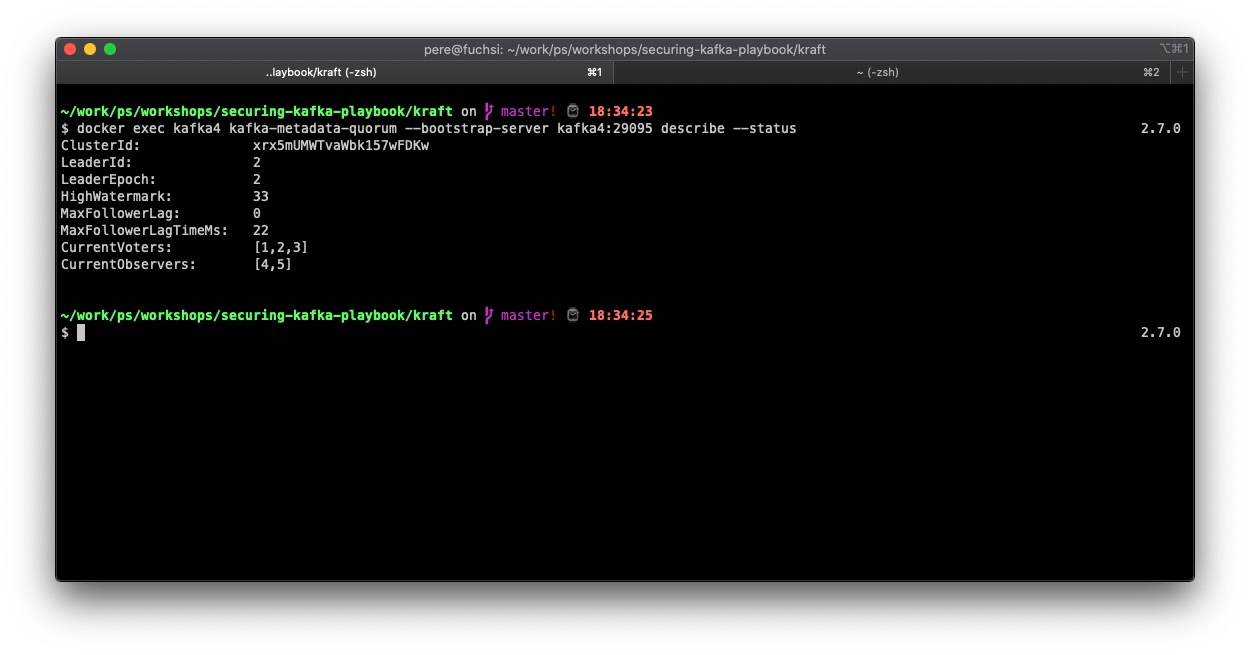
This information is a first glimpse into how the coordination work is doing, as the epochs change a lot or the lag variable growing (or sustainable in a big number) could indicate a problem.
Note, this command gives us another option to check, the replication status, which as seen in the next figure it provides us with a more granular view of the metadata replication.
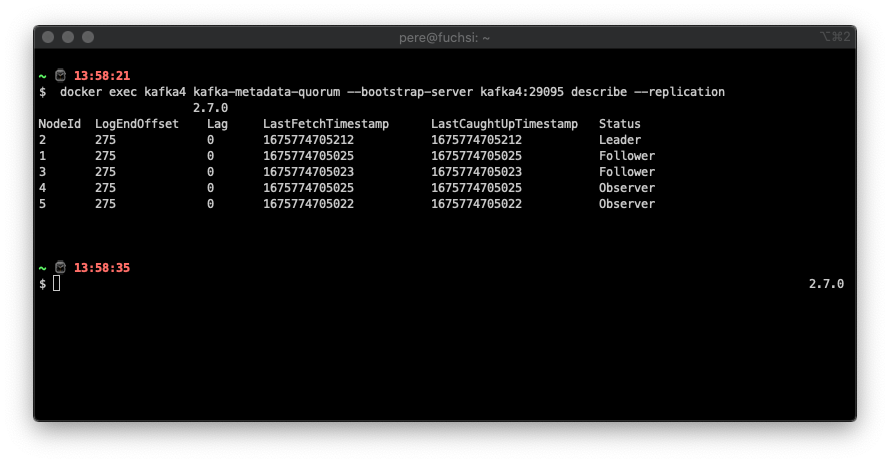
I hope this setup helps you get your hands dirty, in a painless and controller way, with Apache Kafka and KRaft, one of the most exciting changes in this core infrastructure component lately.
More experiments and results are to come in future issues.